
If your PS5 powers on (white light, fans) but the TV says "No signal", try another HDMI cable and TV input, then start the console in Safe Mode and change the video output. If Safe Mode shows nothing either, or the port feels loose or the pins look bent, the HDMI port, or the HDMI chip right behind it, is damaged.
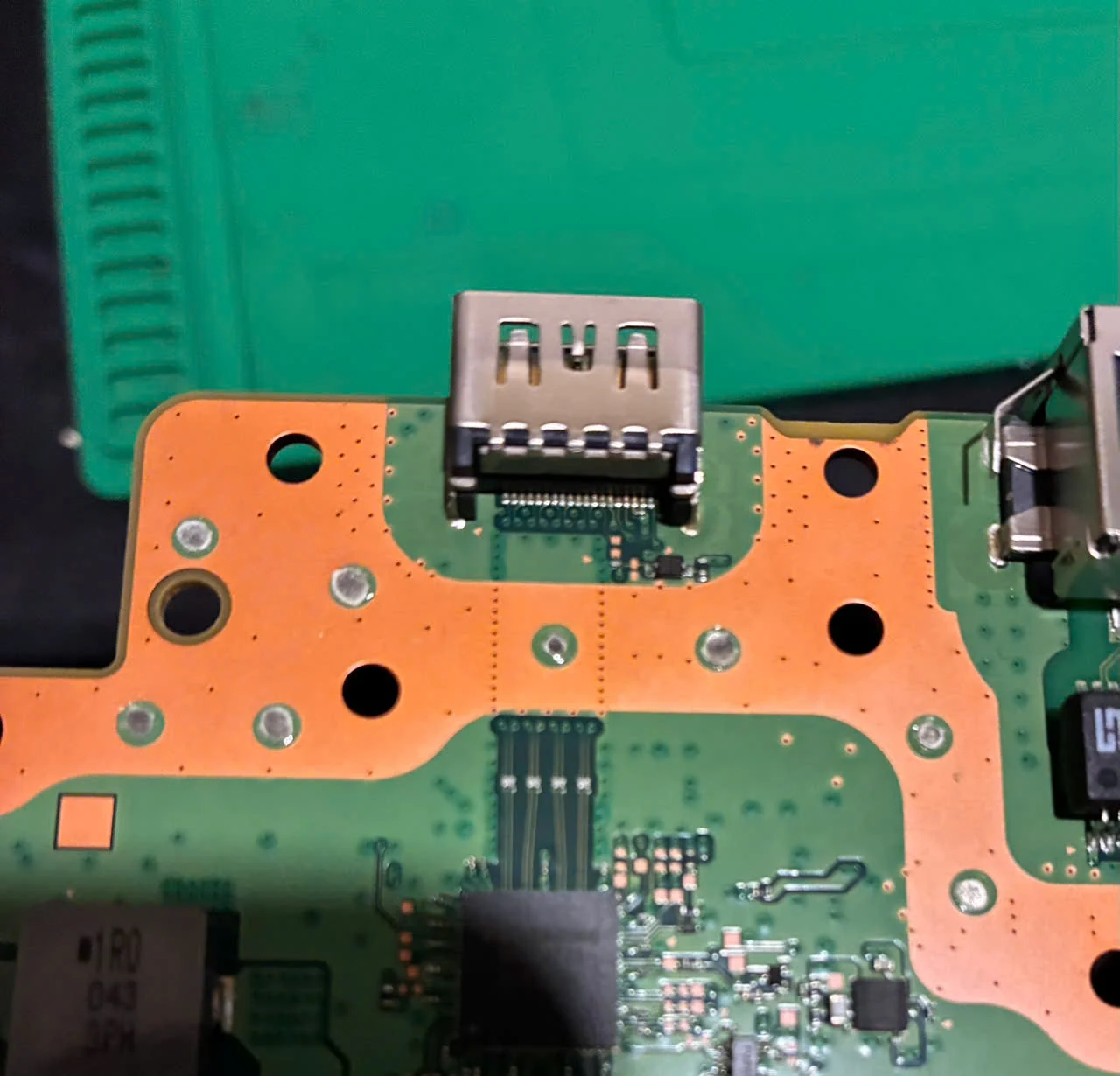
Quick checks
- Use the HDMI cable that came with your PS5, plugged firmly at both ends.
- Try another HDMI input on the TV, and make sure the TV is set to that input.
- Try the same cable with another device to make sure the cable and TV are fine.
Try Safe Mode
- Turn the PS5 fully off: hold the power button until it beeps and the light goes off.
- Press and hold the power button again. Let go after the second beep, about seven seconds later.
- Connect your controller with a USB cable and press the PS button.
- If the Safe Mode screen appears, choose Change Video Output and pick a lower resolution, then restart.
If Safe Mode shows on the TV, the HDMI hardware works and the problem is a setting or software. If you still get no signal, it's almost certainly hardware.
Check the port
With a flashlight, look into the HDMI port on the back. Signs of damage:
- pins that are bent, pushed flat or missing;
- the plastic tongue in the middle cracked or bent;
- the port moves when you touch it, or the cable doesn't click in;
- the picture flickers when you touch the cable.
Don't force a cable into a damaged port. Bent pins can short together and damage the HDMI chip behind the port.
The HDMI chip
Right behind the port is a chip that turns the console's video into an HDMI signal. If the port looks perfect but there's still no picture, or problems started after a power surge, that chip may be damaged. Replacing it is fine soldering work on the motherboard, but it's very repairable.
Prevention
- Leave some slack in the cable so a tug doesn't pull on the port.
- Unplug the HDMI cable before moving the console.
- Keep the console stable, so it can't tip over while plugged in.
Questions
How much does a PS5 HDMI port replacement cost?
At Baos Station, $120 including parts and tax, with a 1-month warranty.
Can I replace the HDMI port myself?
It takes hot air and fine soldering on a multi-layer board. Pads tear easily, which makes the repair much harder.
Will I lose my data?
No. Only the port is replaced; your storage stays on the original board.